Web App
Yardmentum: Your Yard, Your Plan to Keep It Growing
Why I built it
I started Yardmentum for my own yard first. I like to work in my yard, but I've always found it really difficult to keep track of when and what to feed this, or how to prune that. My yard is in NC, in USDA Zone 8a and right on the line with 7b, and it has the usual mix: a Little Gem magnolia, a Nellie Stevens holly, drift roses, an oakleaf hydrangea, a white oak, and a lawn. My typical basic yard (emphasis on basic), ended up having over 100 plantings to manage and care for. Each of them runs on its own calendar, and the zone shifts every one of those calendars.
Plant care information is everywhere, and most of it is good. I've made my own notes and spreadsheets and even done landscape drawings, but it's never been sustainable. What's missing is the step from how to care for my Schip Laurel to what everything in my yard needs this month. Year after year.
That step depends on two things even the best care guide can't know: which plants you have, and where you live.
What it does
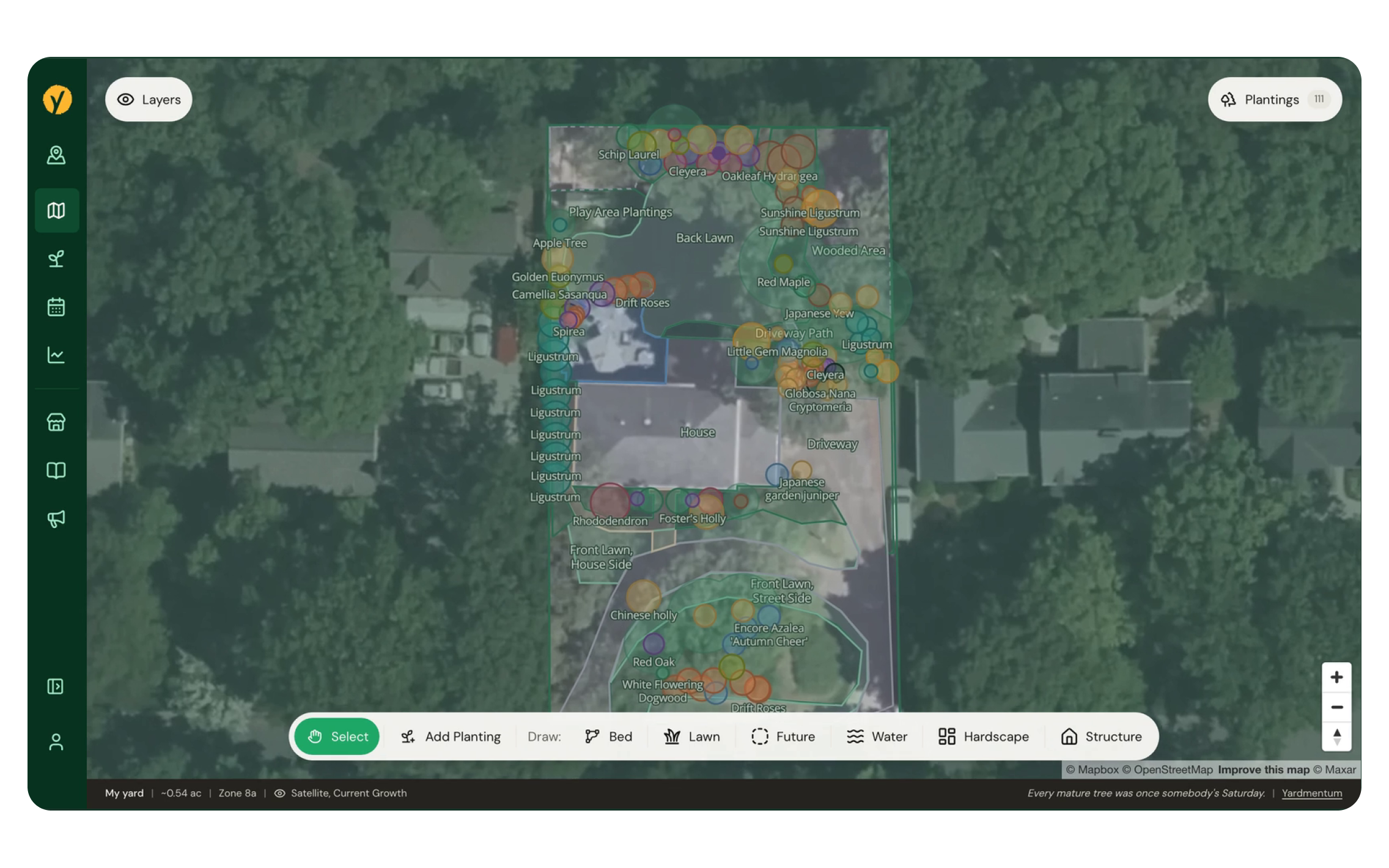
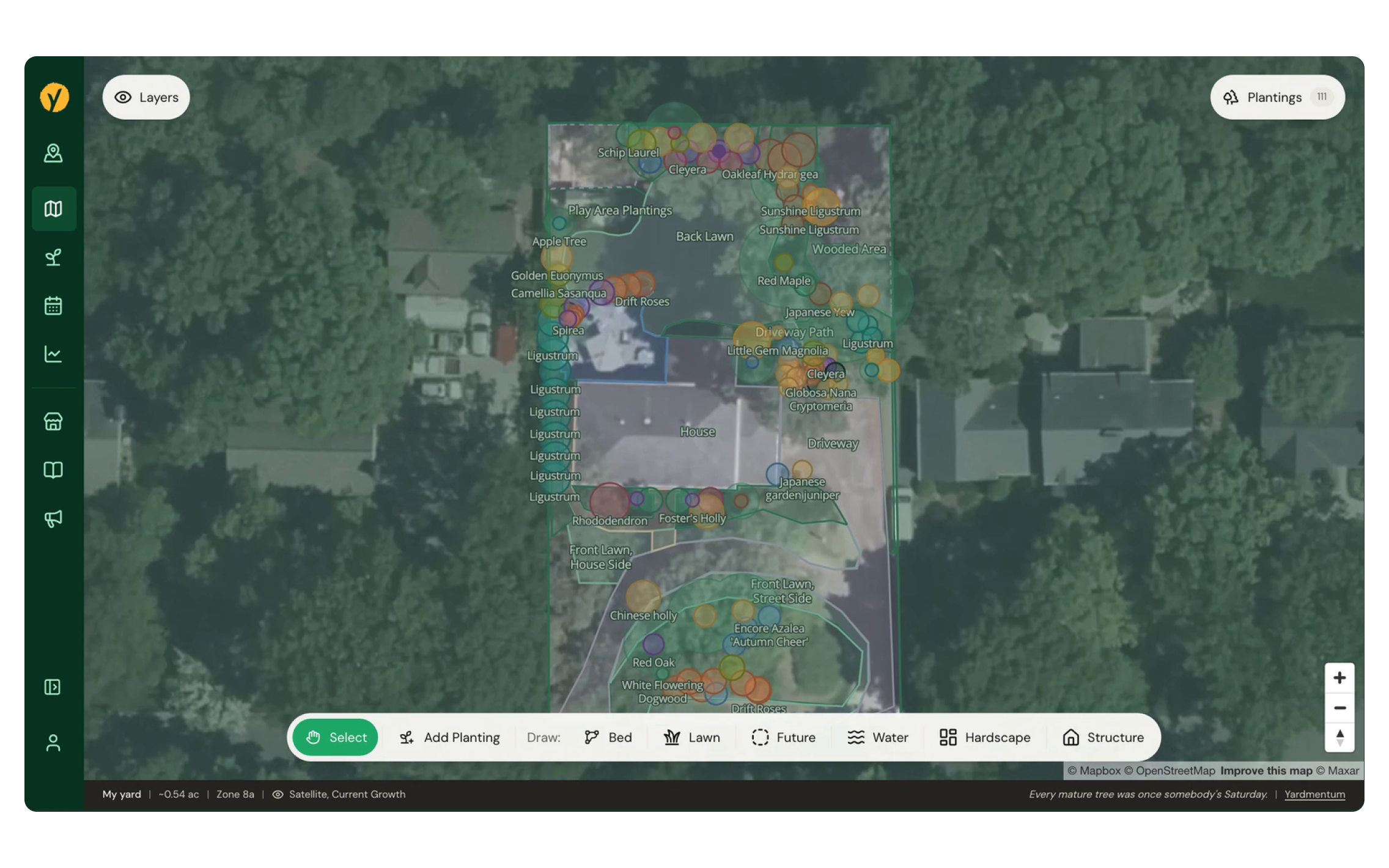
Type in an address and the yard appears from above, with its USDA zone. In North Carolina the county parcel line comes in as a starting boundary, and a leaf-off aerial shows what the tree canopy hides. Anywhere else, you draw the line yourself. Then draw beds and lawns, and place each planting where it actually grows.
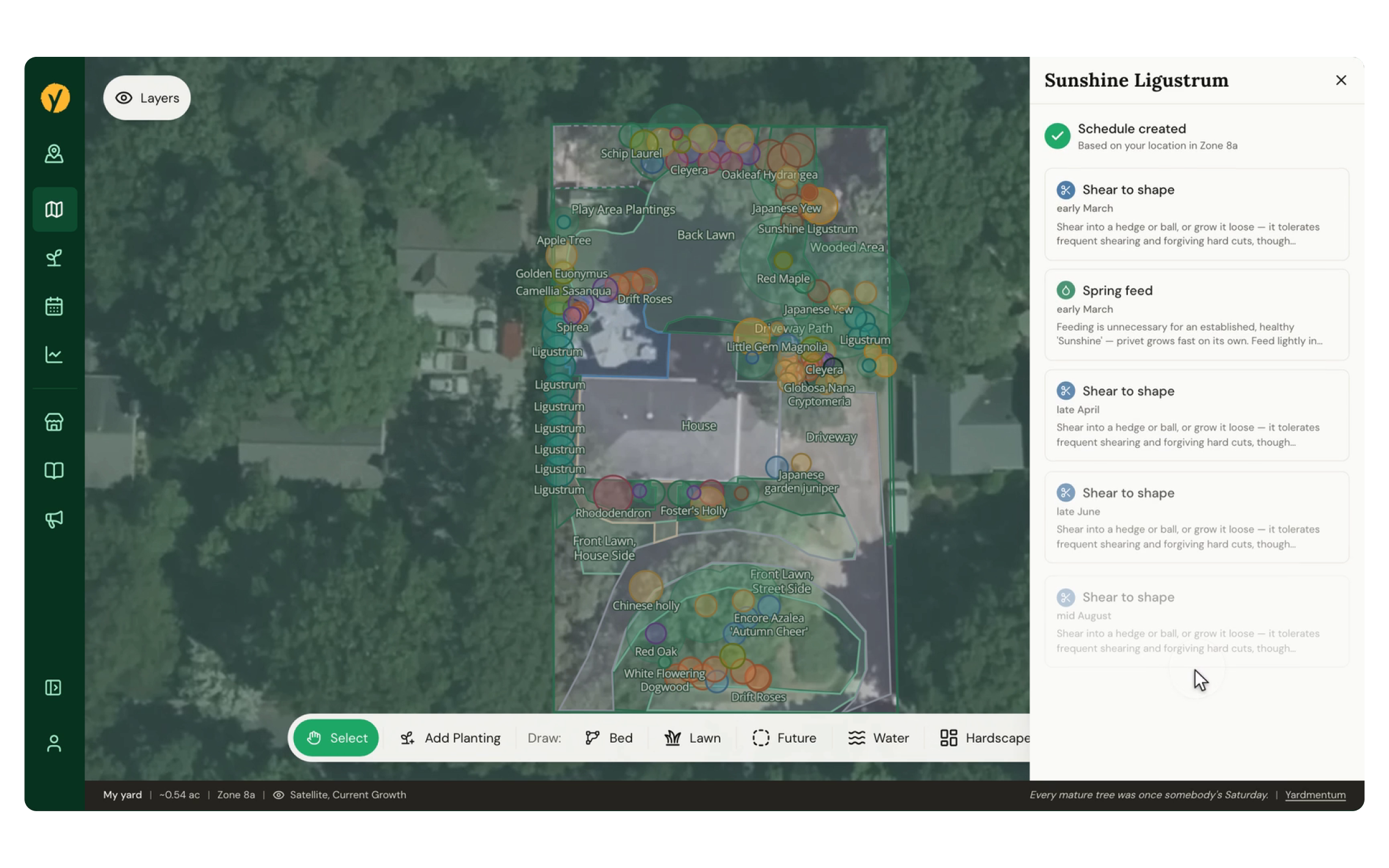
Identify a planting by name, with a search that knows common and botanical names, or by taking a photo of your plant. Set how mature it is and how much sun it gets, and its care schedule appears: pruning, feeding, and seasonal work, each timed to a week like "early March" instead of a date nobody can hit exactly. Lawns get care by grass type, and vegetables and herbs get harvest windows.
 Expand image
 Expand image
 Expand image
The Care Schedule pulls it all into this month's list, grouped by plant type or by your planting beds, and you check tasks off as you go. The Plantings List shows each plant's full care plan and how big it is now against how big it'll get. Plantalytics shows the year of care your yard asks for. For anyone who would rather work from paper, it prints a packet with the map, plant cards, a month calendar, and a 30-day checklist. All of it is shareable with a partner or provider.
How It's Built
Next.js and Supabase on Vercel, Mapbox and Terra Draw for the map and drawing tools, and currently leveraging Pl@ntNet behind photo identification. I'm technical, but I'm not a developer by title. I write all of the product requirements, the care-rules data contracts across versions and expansions, and did the initial UX/UI design, then built it primarily with Claude Code's implementation.
On the care data: AI helps aggregate and format the myriad different types of care rules, but not as real-time response. Care rules are written once per plant species, ahead of time, and every change to how it gets written is tested against a gold set built from a spectrum of actual planting types. Schedules come from those finished rules, so nobody waits on a model when they save a plant, and the cost of the platform's catalog grows with the number of species available to all customers, not the number of people using it.
The plant catalog is ours too, with every name checked against GBIF's taxonomy, in addition to aliases and common names.
The Roots Beneath the App
The app is the front end to an owned data asset: a directory of care rules, written for each plant and banded by USDA zone. Real yards are how it gets built and tested. The business plan includes offering that directory as a Care Directory API, for other products that need care advice that knows where the plant is.
The catalog has over a thousand plants. When someone maps a plant that doesn't have a care plan yet, it moves up the list to get one, so the directory grows toward what's actually in people's yards. That's how it keeps the Yardmentum.
Where It Stands, October 2026
Yardmentum is in an invite-only alpha. Before a public launch it still needs some polish, further user acceptance testing, paid plans and some sign-in enhancements. I'll post updates here as it gets there.
See the 38-second video tour on the Yardmentum home page. If you'd like to try it on your own yard, tell me about it.